Find and Buy the Furniture in Your Render
Archmaster finds the pieces in a finished render and turns each one into a tappable dot. Tap one to see where that exact chair, rug or light is sold.
What Is Shop the Look?
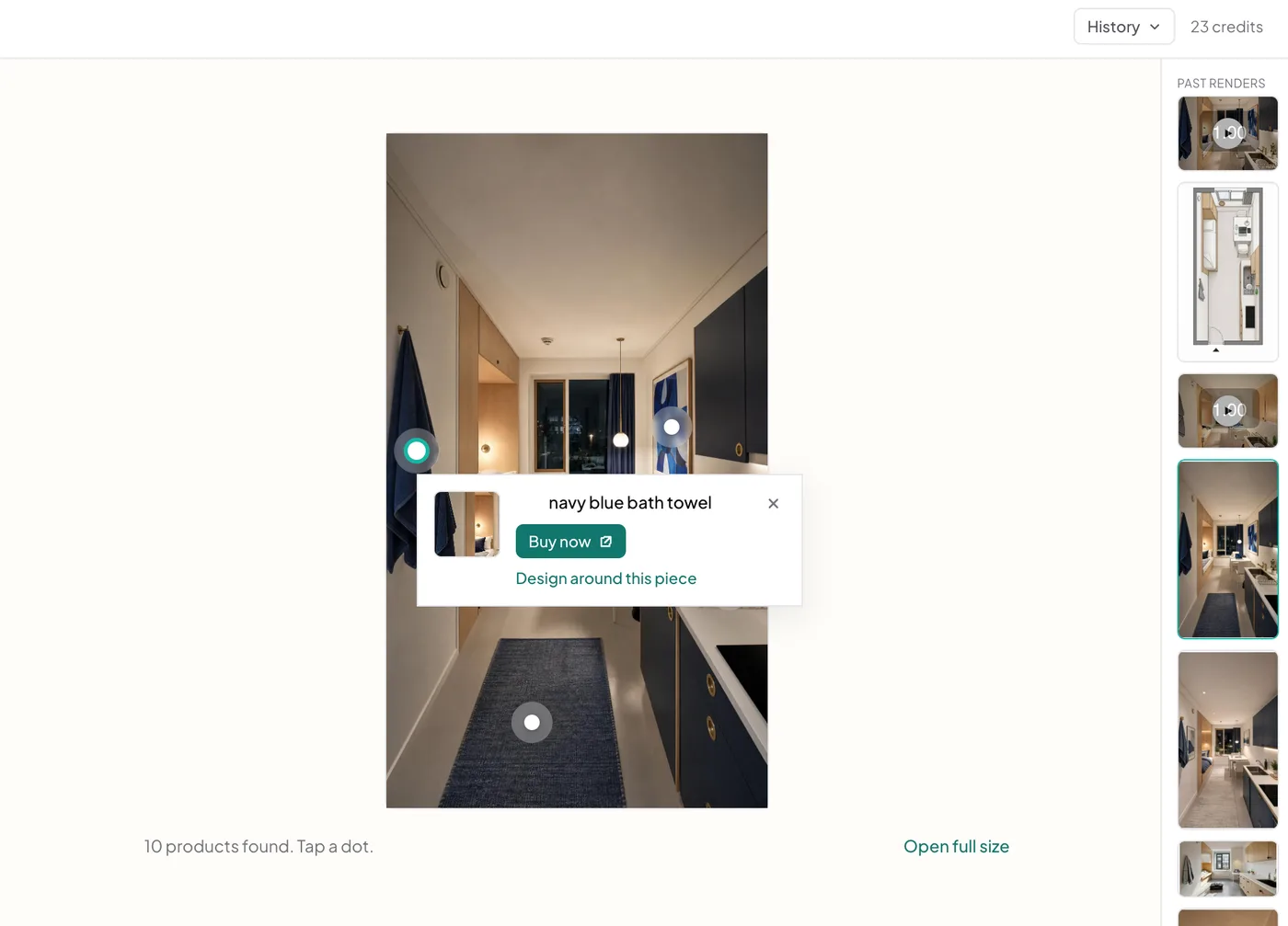
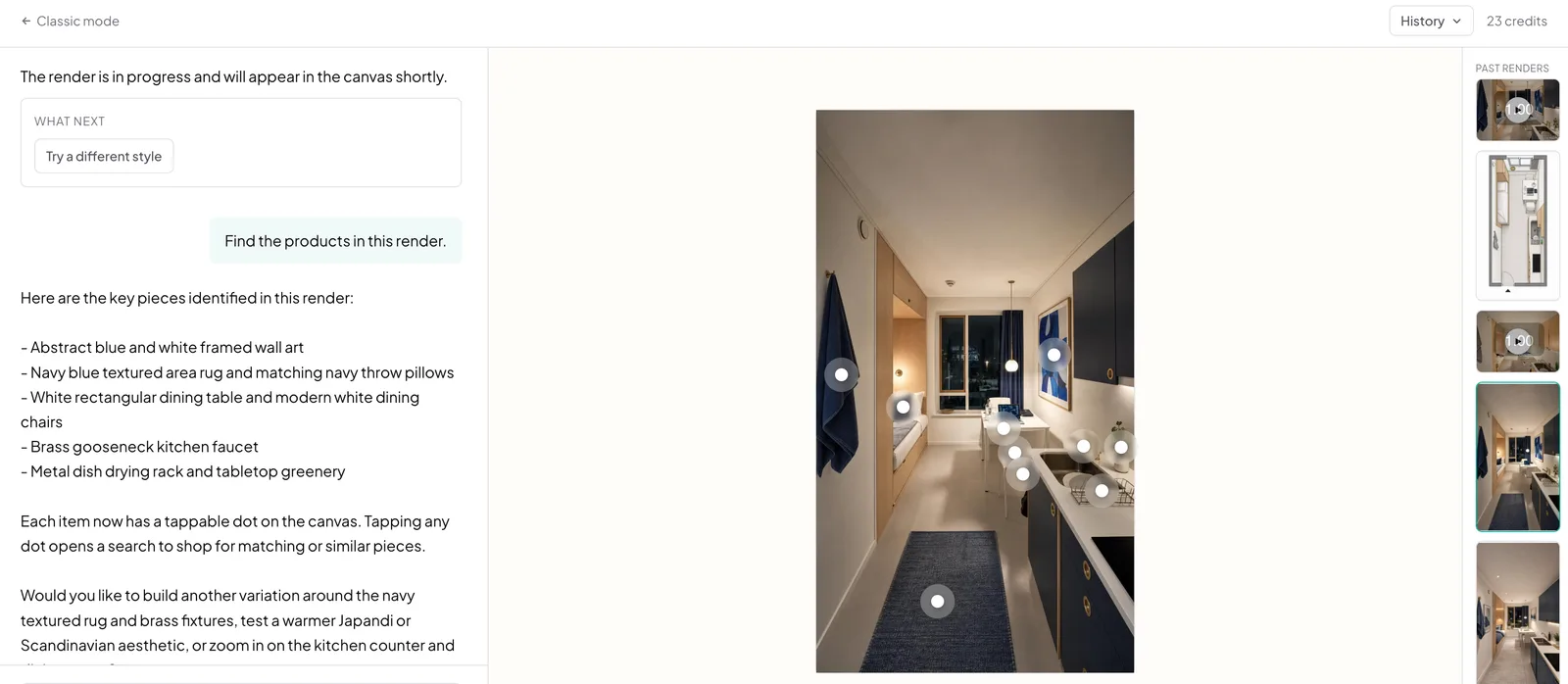
Shop the Look closes the gap a render leaves open: Archmaster scans a finished render, identifies the furniture and decor in it, and marks each piece with a dot you can tap.
- Detection is specific, 'cream boucle curved armchair' can be shopped for, 'chair' cannot
- Each object is cropped out and handed to Google Lens' shopping surface for real sellers and prices
- We identify the objects, Google finds who sells them, no invented prices
- Works on any render made from your own photo, at your room's real proportions
How shop the look works, step by step
The render is scanned for furniture and decor, each piece is marked, and tapping one crops it out and searches for it.
Generate a render
Start from a photo of your own space and redesign it, in the classic workspace or in chat. Shop the Look runs on the result, not on the source photo.
- Runs on a finished render, not the source photo
- Works from the classic workspace or chat
Scan it for products
One tap finds the furniture, lighting, rugs and decor in the render and marks each with a dot. Architecture is skipped, since walls and windows are not for sale.
- Marks furniture, lighting, rugs, and decor with a dot
- Walls and windows are skipped since they are not for sale
Tap a dot to shop
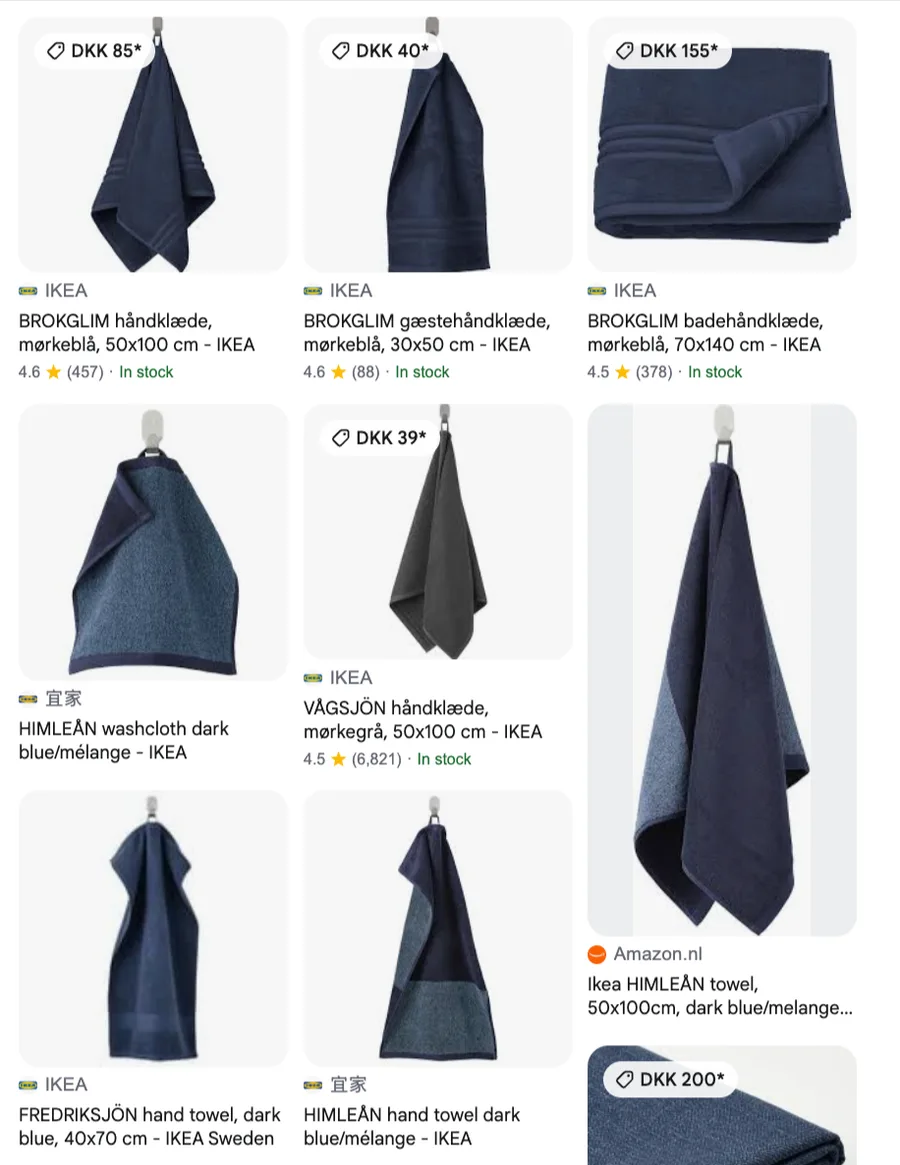
The piece is cropped out of the render and searched with Google Lens, which returns real sellers with real prices and stock rather than a lookalike suggestion. Or ask for a new render built around that one piece, if the chair is the part you actually wanted.
- Searched on Google Lens for real sellers and prices
- Or generate a new render built around that one piece
The problem
A render you love and cannot buy
The moment a design is right is also the moment it becomes useless: there is a chair in the image and no way to find it. Reverse image searching a whole room returns the room, not the chair, and describing a piece in words is how you end up scrolling a marketplace for an hour.
- Searching a whole render finds similar rooms, not the individual pieces in it
- Describing furniture in words rarely matches how it is listed
- A design nobody can source stays a picture
- Cropping and searching each piece by hand is the tedious part of the job
What this does
From render to shopping list
Archmaster scans the finished render, identifies the furniture, lighting, rugs, and decor in it, and marks each one. Tapping a marker crops that piece out and searches for it, so the answer is a list of sellers rather than a description you have to go and match.
- Furniture, lighting, rugs, and decor are found and marked individually
- Architecture is skipped, since walls and windows are not for sale
- Each piece is cropped and searched on its own, not as part of the room
- Or build a new render around the one piece you liked
100,000+
Rooms redesigned
5,000+
Happy users
No data storage
Photos are processed and deleted — never kept or sold.

Secure payments
Checkout handled entirely by Stripe.
What people do with it
I tried four styles on my living room before picking one. Seeing the actual result before spending a dollar on furniture saved me from a mistake.

Sarah Chen
Homeowner
Staged three vacant listings in one afternoon. What used to take a week and a rental invoice now takes minutes per room.

Marcus Webb
Real estate agent
I use it to show clients three directions in the first meeting instead of describing them. They sign off faster because they're looking at their actual room.

Priya Patel
Interior designer
Turned a rough kitchen sketch into something I could actually show a contractor. Cut a week off getting quotes.

Tom Reyes
Homeowner
Tested a paint color and new furniture layout before asking my landlord about anything. No surprises, no wasted money.

Elena Novak
Renter


Read next
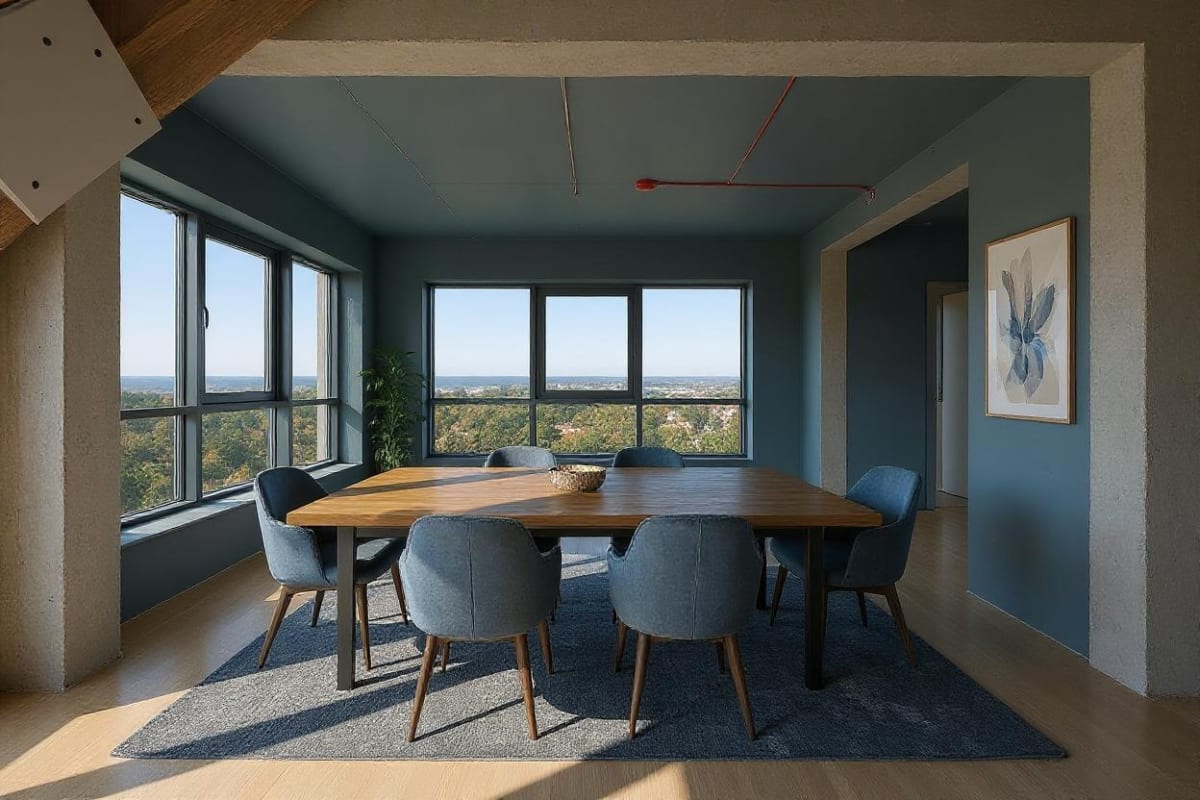
AI Furniture Design: Choose & Arrange Furniture with AI
AI furniture design tools show style and scale in your real room before you buy, addressing the 58% of furniture returns caused by size mismatch.
AI Room Decorator: Decorate Any Room From a Photo, Free
AI room decorator tools like REimagine Home and LightX restyle colors, textiles, and accessories in a room whose layout already works, from one photo.
FAQ
Are these the exact products in my render?
They are the closest matches Google Lens can find for each piece. A render is generated, not photographed, so an object in it may not correspond to a product that exists; what you get is the nearest real thing on sale.
Where do the prices come from?
From Google Lens' shopping results, not from us. We identify the objects and hand each one to Google; the sellers, prices and stock you see are Google's.
How many pieces does it find?
Up to 14 per render, ranked by prominence. It looks for furniture, lighting, rugs, textiles, storage, decor and plants, and deliberately ignores walls, floors, windows and built-in cabinetry.
Does it work on videos?
No. Scanning needs a still frame to crop from, so it runs on image renders only.
Can I design around a piece I like?
Yes. Every product card offers to build a new version of the room around that piece, keeping your layout and lighting and changing what has to change so it belongs.
You designed it. Now go and buy it.
Turn any render into a shopping list: tap a piece to find who sells it, or build a whole new version of the room around the one thing you loved.
Start designing