Design Your Whole Home with AI
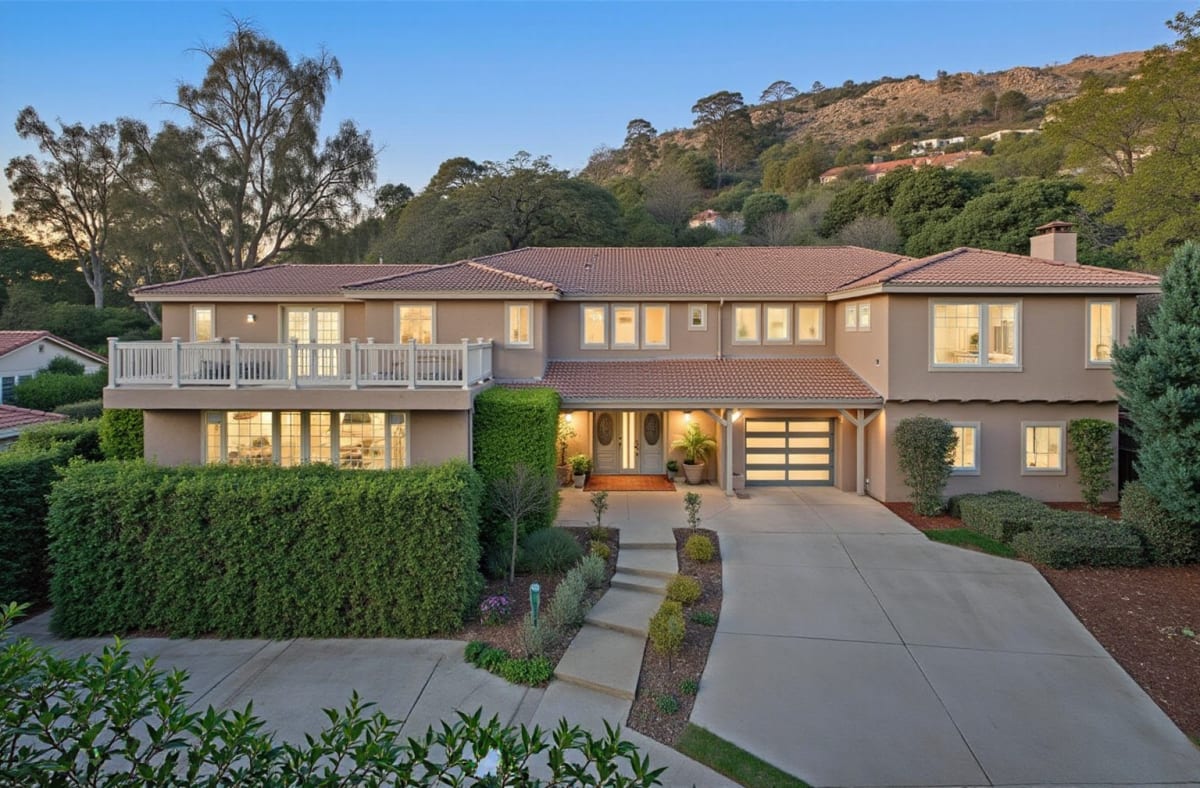
Run every room — and your exterior — through the same AI style, and see a consistent look across your entire home before committing to anything. Siding, roofline, paint color, and landscaping context included on the exterior side.
What Is AI Home Design?
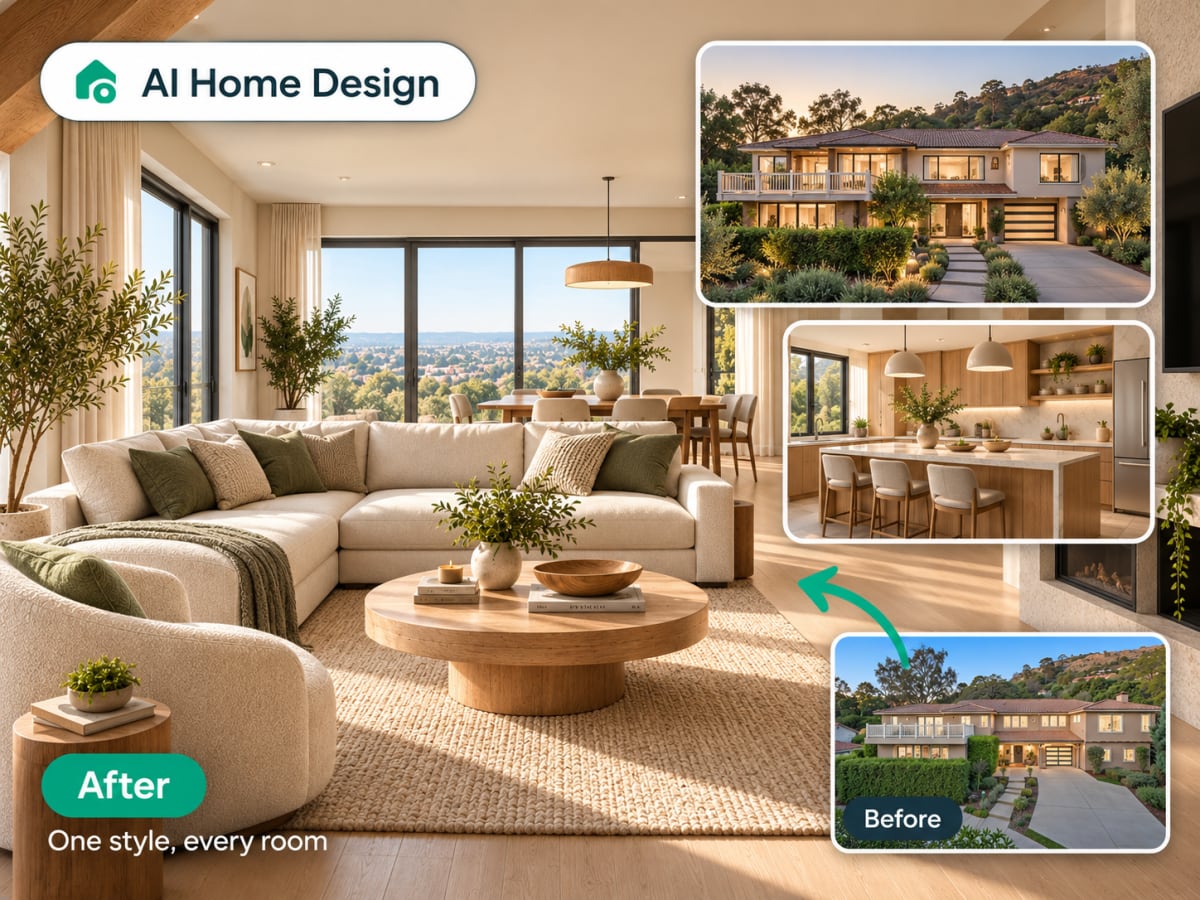
AI home design applies one consistent style across your entire property, interior rooms and exterior facade alike, so the finished look reads as one home instead of mismatched parts.
- On the exterior, it redesigns siding, roofline color, trim, and landscaping context
- Each photo processes independently, review or regenerate any single room without redoing the rest
- Built for homeowners planning a full renovation and agents preparing a cohesive listing set
- Gives one reference point before talking to a contractor or ordering materials
How whole home AI design works, step by step
One style, applied room by room and to the exterior, so the finished set reads as one property instead of several unrelated projects.
Upload photos room by room
Start with one room or your exterior, then repeat for the rest of your home. Each photo is processed independently, so you can work through your property at your own pace.
- Start with one room or your exterior
- Each photo processed independently
Pick one style for consistency
Apply the same style preset across every room and your exterior for a cohesive, whole-home look, from interior finishes down to siding and roofline color.
- Apply the same style preset to every room and the exterior
- One consistent look across your whole home
Build the whole set
Each finished room lands in your library, so the set accumulates as you work through the house. Together they read as one property in one direction, which is what a contractor, an architect, or a buyer needs to see before signing off on a scheme that spans more than one room.
- Collect every rendered room and exterior in one place
- A complete before/after set to share with a contractor
The problem
Rooms decided one at a time stop matching
Renovations happen room by room, often months apart, and each decision is made against the room in front of you rather than the house as a whole. The result is a home where every room is defensible on its own and none of them agree with each other.
- Decisions made months apart drift, even with the same paint codes written down
- Flooring, trim, and hardware chosen per room rarely line up across a house
- An interior designer briefed on the whole property is a different order of cost
- The mismatch only becomes obvious once the last room is finished
What this does
One direction, every room, before the first one starts
Run each room and the exterior through the same style preset and collect the results as one set. You are testing whether a direction holds across the whole property, at a cost per room that makes it reasonable to test more than one.
- The same preset applied across interiors and the exterior facade
- Each photo processed independently, so you work at your own pace
- The finished set doubles as a brief for a contractor or architect
- 1 credit per room, 30 credits a week on the $9.99 plan

100,000+
Rooms redesigned
5,000+
Happy users
No data storage
Photos are processed and deleted — never kept or sold.

Secure payments
Checkout handled entirely by Stripe.
What people do with it
I tried four styles on my living room before picking one. Seeing the actual result before spending a dollar on furniture saved me from a mistake.

Sarah Chen
Homeowner
Staged three vacant listings in one afternoon. What used to take a week and a rental invoice now takes minutes per room.

Marcus Webb
Real estate agent
I use it to show clients three directions in the first meeting instead of describing them. They sign off faster because they're looking at their actual room.

Priya Patel
Interior designer
Turned a rough kitchen sketch into something I could actually show a contractor. Cut a week off getting quotes.

Tom Reyes
Homeowner
Tested a paint color and new furniture layout before asking my landlord about anything. No surprises, no wasted money.

Elena Novak
Renter

Free tools for this project
Read next
AI Home Design: Keep a Consistent Style Across Every Room
See how AI home design tools apply one style across every room and the exterior, so your whole house reads as a single, coordinated project.
Best AI Home Design Apps for Interior, Exterior & Landscape
The best AI home design apps for interior, exterior, and landscape projects in 2026, compared so you know which ones actually cover your needs.
AI Home Office Design: Plan a Workspace From a Photo
35.1 million Americans work remotely. See how AI home office design turns a spare room or bedroom corner into an ergonomic workspace before you buy anything.
Office Interior Design: 20 Modern Workspace Ideas for 2026
20 office interior design ideas for 2026, from open-plan zoning to home offices, backed by Gensler workplace data on productivity and retention.
FAQ
Does this design my whole home in one upload?
You upload one room or exterior at a time and pick the same style for each — Archmaster doesn't yet generate a full home from a single photo, but keeping the style preset consistent gives you a matching look across every space.
Can I mix styles between rooms?
Yes, you can pick a different preset for each room if you want. Most people pick one style and apply it everywhere for a cohesive result across the whole property.
Does this include the exterior?
Yes — upload your exterior photo the same way you upload interior room photos, and the AI redesigns siding, roofline color, and landscaping context.
Can I use this for a full renovation plan?
It's a strong tool for early-stage direction across your whole property, not a construction document. Pair the final style choice with a contractor or architect before ordering materials.
See your whole home in one style.
Interior, exterior, every room — one consistent AI-designed look, generated room by room in the time it takes to upload each photo.
Start designing